How to Remove Black Spots from Floor Grout
How to Remove Black Spots from Floor Grout
Dark stains along grout lines make even clean tile look dingy. They are usually mold, mildew, or ground-in dirt, and ordinary mopping rarely lifts them. This guide shows a simple bucket-and-powder method that brightens grout without harsh scrubbing, plus how to tackle stubborn spots and stop the stains from returning.
Step 1 — Sweep and Mix the Cleaning Solution
What to do: Clear the floor and prepare a gentle but effective cleaner.
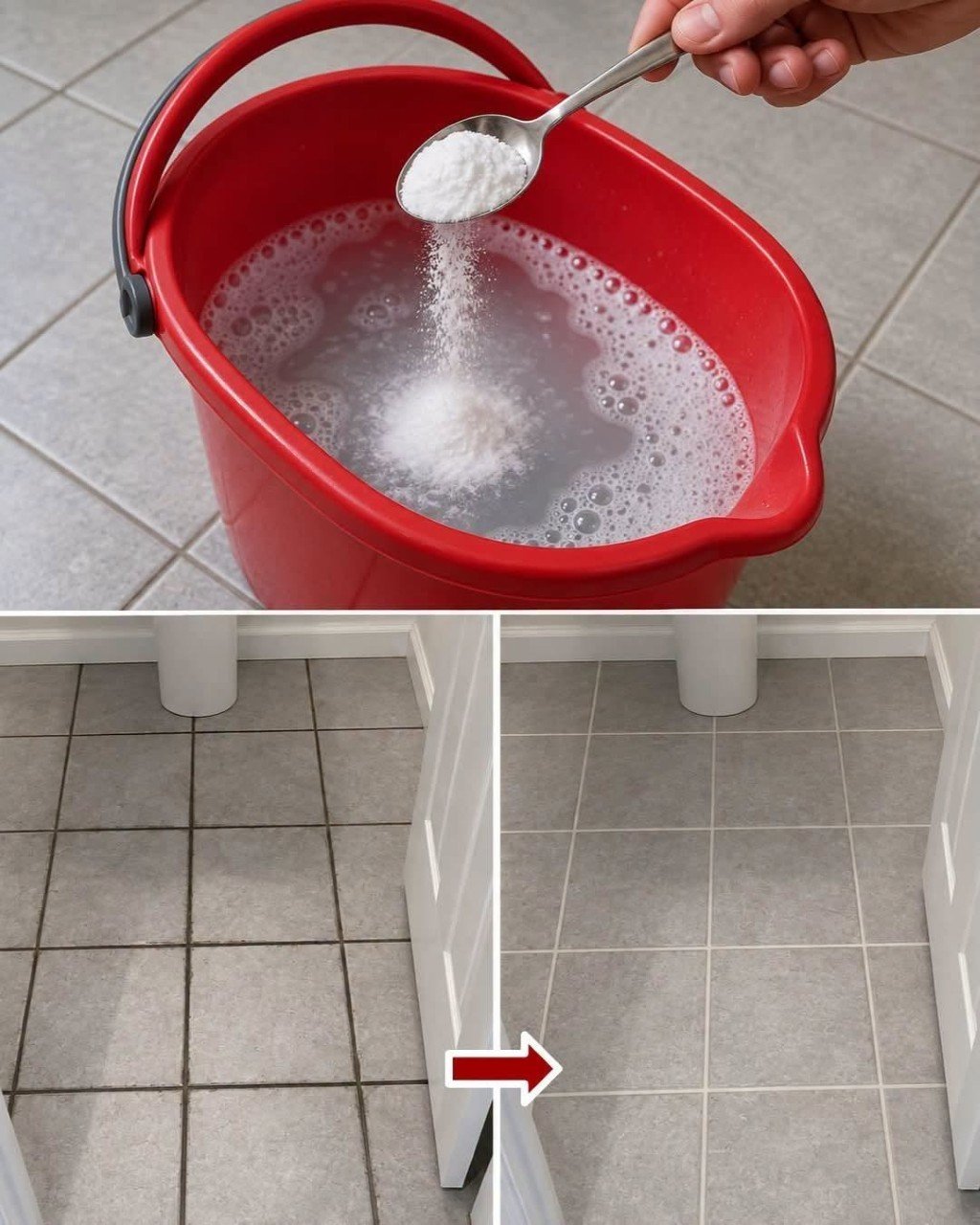
How to do it: Sweep or vacuum loose dirt first. Fill a bucket with about 2 liters (half a gallon) of hot water, add a squirt of dish soap, and stir in 3-4 tablespoons of baking soda until it dissolves. For heavier staining, use oxygen bleach powder instead, following the label’s dilution directions.
Common mistake to avoid: Skipping the sweep. Loose grit turns into mud and scratches the tile as you scrub.
Step 2 — Apply and Let It Soak
What to do: Give the solution time to break down mold and grime.
How to do it: Pour or mop the solution along the grout lines and leave it for 10-15 minutes. For stubborn black spots, make a thick paste of baking soda and a little water, spread it on the grout, and let it sit for 20-30 minutes.
Common mistake to avoid: Mixing cleaners. Never combine bleach with vinegar, ammonia, or other chemicals, because dangerous fumes can form.
Step 3 — Scrub, Rinse, and Dry
What to do: Lift the loosened stains and remove all residue.
How to do it: Scrub along the grout lines with a stiff nylon brush or an old toothbrush, working in short back-and-forth strokes. Rinse with clean water, mop up the dirty liquid, and dry the floor with a towel or fan to discourage mildew.